Free · No sign-up · Nothing uploaded
Passport Photo Size — Crop to 2x2 in or 35x45 mm
Passport and visa forms rarely ask for pixels. They ask for a physical size — 2 by 2 inches, 35 by 45 millimetres — and leave you to work out what that means for a file. It comes down to three decisions: the shape of the crop, the exact number of pixels, and how much of the frame the head fills. This page takes them one at a time, using a browser editor that crops to a custom frame, resizes to a pixel count you type, and exports a JPG or PNG. What it will not do is replace the background, so the honest answer for a photo taken in front of a bookshelf is further down. Nothing is uploaded while you work.
- Any custom crop ratio
- Exact pixels, e.g. 600 by 600
- JPG or PNG export
- Runs in the browser, no install
How to size a photo for a passport application
Four steps, and the third one is where most rejections begin.
-
Open a photo with room to spare
Click Open or drag the file onto the canvas. Pick a shot taken straight on, in even light, with the head not touching the top edge. A phone photo is fine as long as the head is at least 500 pixels tall before cropping — smaller than that and the crop has nothing to give.
-
Crop to the shape, not to the pixels
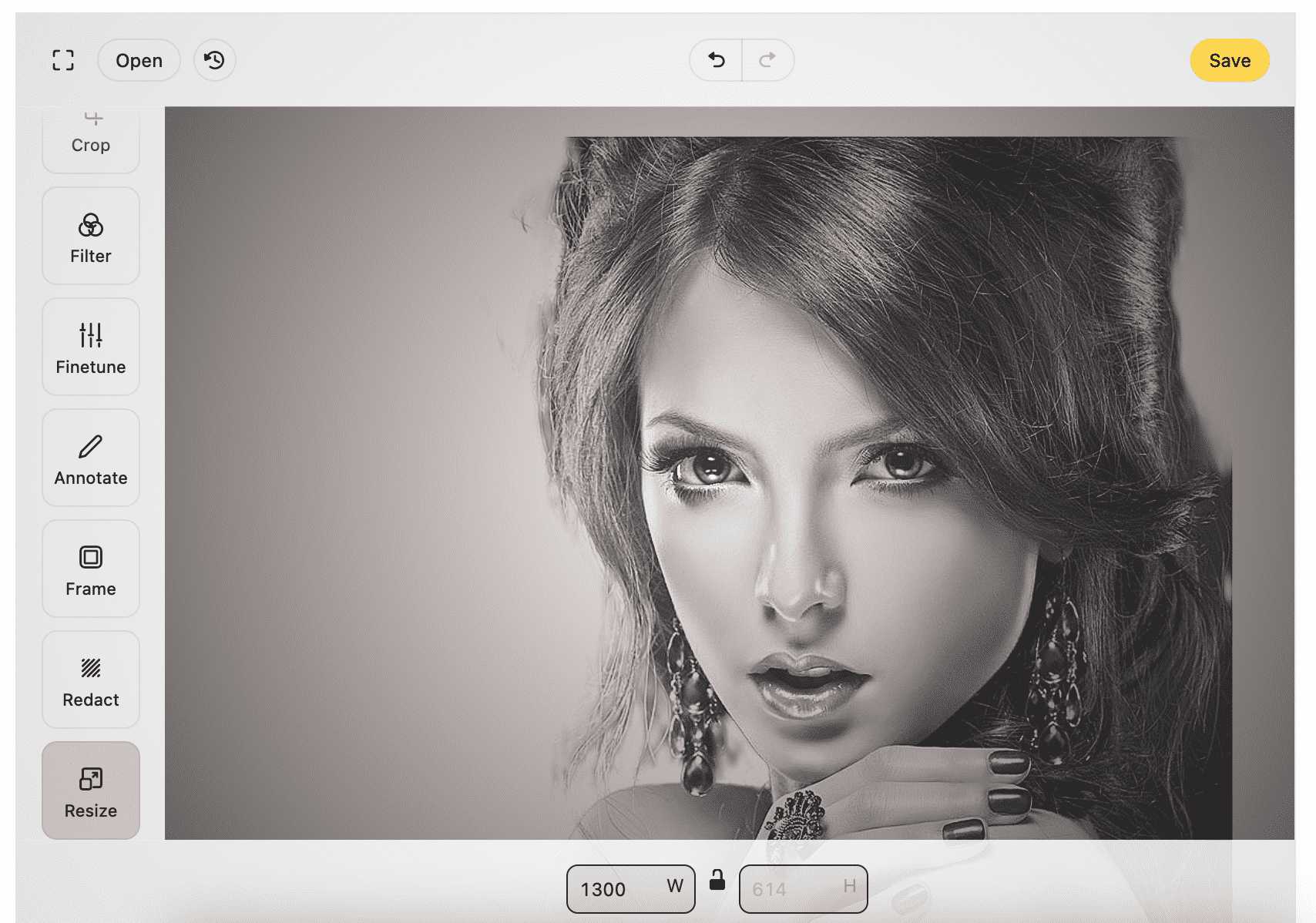
Choose Crop. For 2 by 2 inches use the 1:1 preset. For 35 by 45 millimetres the shape is 7:9, which is not in the preset list, so leave the ratio on custom and drag a portrait frame close to 7:9. Leave a little space above the hair and take the cut at the top of the shoulders.
-
Resize to the exact count
Switch to Resize, switch off the maintain-aspect-ratio lock so both fields are editable, and type the numbers for your form: 600 by 600 for 2 by 2 inches, 413 by 531 for 35 by 45 millimetres at 300 dpi. If the crop was a pixel or two off 7:9, forcing both values stretches the face by well under one percent, which no one can see.
-
Export, then print at 300 dpi
Press Save and pick JPEG at high quality for a photograph. The file records pixels, not a paper size, so tell the print shop the output is 300 dpi: at that density 600 pixels is two inches and 413 pixels is 35 millimetres. Print on matte paper, never on glossy, which most authorities reject for glare.
The millimetre-to-pixel arithmetic, written out
Print resolution is the bridge between what a form asks for and what a file contains. At 300 dots per inch, one inch is 300 pixels and one millimetre is 11.8 pixels.
The common sizes in pixels
2 by 2 inches is 600 by 600. 35 by 45 millimetres is 413 by 531. 33 by 48 millimetres is 390 by 567. 50 by 70 millimetres is 591 by 827. Anything printed at 300 dpi lands on the size the form asked for.
Crop shapes it, resize counts it
A crop that is not square cannot be resized into a square without squashing the face, so fix the shape first and the numbers second. The ratio lock in the resize panel is there to stop you doing it the other way round by accident.
Head height is the quiet failure
In a 2 by 2 inch photo the head should run roughly from 25 to 35 millimetres, about two thirds of the height, with a small margin above the crown. Measure it on screen after cropping rather than trusting the original framing.
What this page cannot fix
It cannot cut the person out of a busy background, cannot drop a shadow out of the wall, and cannot check whether the expression or the glasses pass. Those are the reasons a technically correct file still gets sent back.
Where an exact photo size actually matters
Any process that prints your face onto a card or a form and then compares it with the person in front of them.
- Passport and visa applicationsThe two sizes that cover most of the world: 2 by 2 inches for the United States and a handful of others, 35 by 45 millimetres for the UK, the Schengen area, Australia and many more.
- Staff badges and access cardsInternal systems usually ask for a fixed square at a modest resolution, and a 600 by 600 crop exports small enough to email without a second pass through a compressor.
- Exam and licence registrationsDriving licence renewals, professional exams and trade registrations all publish a pixel size somewhere in the small print, and all of them reject a file that has been scaled up from a thumbnail.
- A sheet of copies for a labMost photo labs will tile one acceptable portrait across a 4 by 6 inch print if you hand them a single correctly sized file, which is cheaper than ordering a passport package.
When the background is the problem
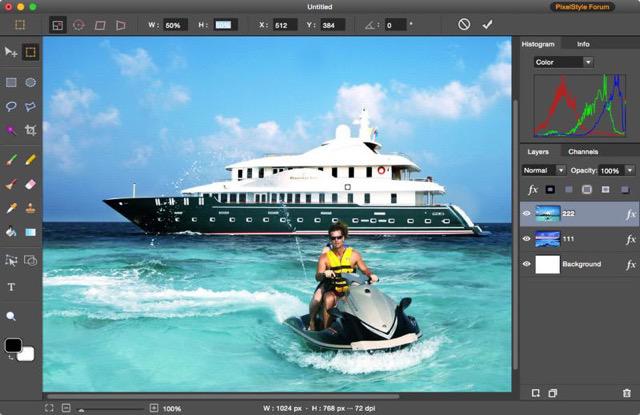
PixelStyle puts the face on a clean white canvas
A passport photo needs a plain, light background with no shadow, and that is the one part of the job a browser crop cannot do. On a Mac, PixelStyle Photo Editor handles it: open the photo, run AI Background Remover to lift the person off the wall, and place the result on a white layer at the exact size the form asks for. Shadows under the chin come out with the healing brush, stray hair with a small brush and the clone stamp, and the final file exports as JPG, PNG or TIFF at whatever pixel dimensions you typed. Layers mean the white background stays separate, so a second size for a second form takes a resize rather than a reshoot.
- AI Background Remover for a plain, even background
- Healing brush and clone stamp for shadows and stray hair
- Layers keep the person and the background independent
- Exports JPG, PNG, TIFF and WebP at exact pixel sizes
Requires macOS · 7-day free trial · or download on the Mac App Store
Passport photo questions, answered straight
The arithmetic, the limits, and what to do about a bad background.
How many pixels is a 2 by 2 inch passport photo?
600 by 600 at 300 dpi. Two inches is 50.8 millimetres, and at 300 dots per inch that works out to 600 pixels on each side. If a form asks for a bigger file, 900 by 900 at 450 dpi prints to the same physical size with more detail, provided the original photo was sharp enough to give it.
What size is 35 by 45 millimetres in pixels?
413 by 531 at 300 dpi. That is 11.8 pixels per millimetre, so 35 millimetres is 413 pixels and 45 millimetres is 531. Round up rather than down if your form is strict, since a printer never complains about two extra pixels.
Can this tool replace the background with white?
No. It crops, rotates, resizes, adjusts brightness and contrast, and draws shapes and text — it has no way to separate a person from what is behind them. For a plain background, use PixelStyle Photo Editor on the Mac, where AI Background Remover does the cutout and the white layer goes underneath.
Does the exported file know it is 2 inches wide?
Not by itself. A JPG or PNG stores pixel dimensions, and the print size only appears when something decides how many dots to put in an inch. Tell the lab 300 dpi and the numbers line up; hand them the same file with a different instruction and it prints at a different size.
Can I use a photo taken with my phone?
Usually yes, if the light is even, the face is straight on and the head is large enough in the frame to survive the crop. Watch for two phone-specific problems: a portrait-mode blur that softens the ears, and a wide-angle lens that distorts the nose when the camera is held close.
Why was my correctly sized photo still rejected?
Size is only one rule. The usual reasons are a shadow behind the head, glasses, a smile, a head that is too small in the frame, or a background that is not plain. Every issuing authority publishes its own list, and it changes — check the current one before you print.