E.M. Free Game Capture
2.30

Real-time Record Games of 3D,
2D, desktop and OpenGL to HD videos with
resolutions up to 1920x1080
| "High Efficient
and Very easy to use, completely free!!" |
|
E.M.
Free Game Capture
is a tool that records games of high-Def 3D, 2D directdraw and OpenGl or changes of
the desktop to various video files in any FPS
(frames per second). And the custom recording speeds can
be specified from 5 frame/s up to 100 frame/s. And the
recorded video formats contain avi, wmv,
flv, mp4, mkv, and even certain popular ones which can
play in iPod, iPhone, PSP, xbob360 etc.
New features of E.M. Free Game Capture 2.30:
- Record games of 2D DirectDraw.
- Free to use. The 2.30 version is fully free for users.
Main Features of E.M. Game Capture:
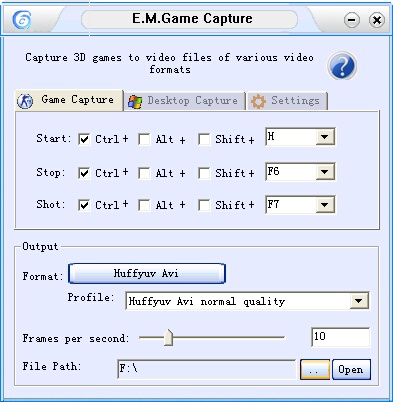
- Real-time game record. The software will make recording games more easier and convenient whenever you want to capture your favorite games. Frames per second can be set to the one you want and that depends on the 3D performance of your pc.
- Benchmark. Frames per second and hot key tips which used to start or stop record will show in the top-left corner of the game. So there is no need to exit the game if you forget how to start, stop your recording process.
Screen capture. In the process of recording, hot key tip for screen shot is also shown on you in the top-left corner of the game, so a simple press of the keyboard will real-time save the image (.jpg) of the game to disk.
- Various video format. Various video formats are available which including lossless ones. The default format for 3D game is lossless avi, so if you select a different one from the default format, a converting dialog will pop up after you exit the game and activate the software. Then two video files with the default format and the selected format will be saved to the disk.
- Desktop capture. Not only can the E.M. Game Capture capture 3D or OpenGL games, but can record changes of the desktop. You can record wherever you want in your desktop in 3 different ways such as window, region and full screen.
- Tips. Whether you record games or desktop, there are relative tips to make you feel easy to use this software.
Update list of E.M. Game Capture:
New features of version 2.20:
- Record games of OpenGL. The 2.20 version not only can record 3D games, but can record OpenGL games.
- Free for using desktop mode. You can use desktop mode free to record changes of your desktop.
New features of version 2.10/2.11:
- Select source audio line. Not only can record sound of the games , but can record sound from microphone. There are three items for audio option, No Audio, From Microphone, and From game (Stereo Mix).
New features of version 2.00:
- Tips of FPS and hot keys. These tips on the top-left corner of the game will make your recording process more convenient and easy.
- More than one games. You can run more than one 3D or OpenGl games at one time, and select your enjoy most to record.
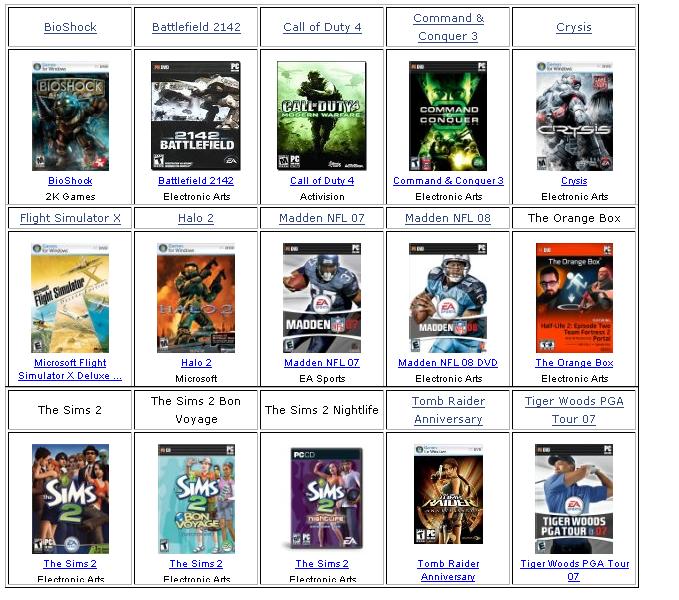
Working well as following popular games:
|